

Reality Check: Currently, nearly half of your WordPress visitors are invisible to your analytics. Safari and Firefox block tracking by default. Chrome restricts third-party cookies for millions of users. Meanwhile, cookie consent banners are killing your conversion rates while exposing you to privacy regulation penalties.
The solution isn’t complicated—but every day you wait makes the problem worse.
The Analytics Blind Spot Costing You Money
Lisa Martinez runs a WordPress consulting business generating $180K annually. Last month, she discovered a shocking truth about her website analytics.
Her email list had grown 23% over six months, but Google Analytics showed traffic declining 8%. Her most popular blog post—driving 40% of her leads according to email tracking—barely registered in her analytics dashboard.
The culprit? Browser tracking restrictions and cookie rejections were hiding nearly half of her visitors.
“I was making business decisions based on incomplete data,” Lisa explains. “I almost stopped writing the content that was actually driving the most leads because my analytics made it look worthless.”
If you’re using traditional WordPress analytics, you’re facing the same problem:
- Safari blocks third-party cookies completely (20% of web traffic)
- Firefox Enhanced Tracking Protection blocks most analytics (4% of traffic)
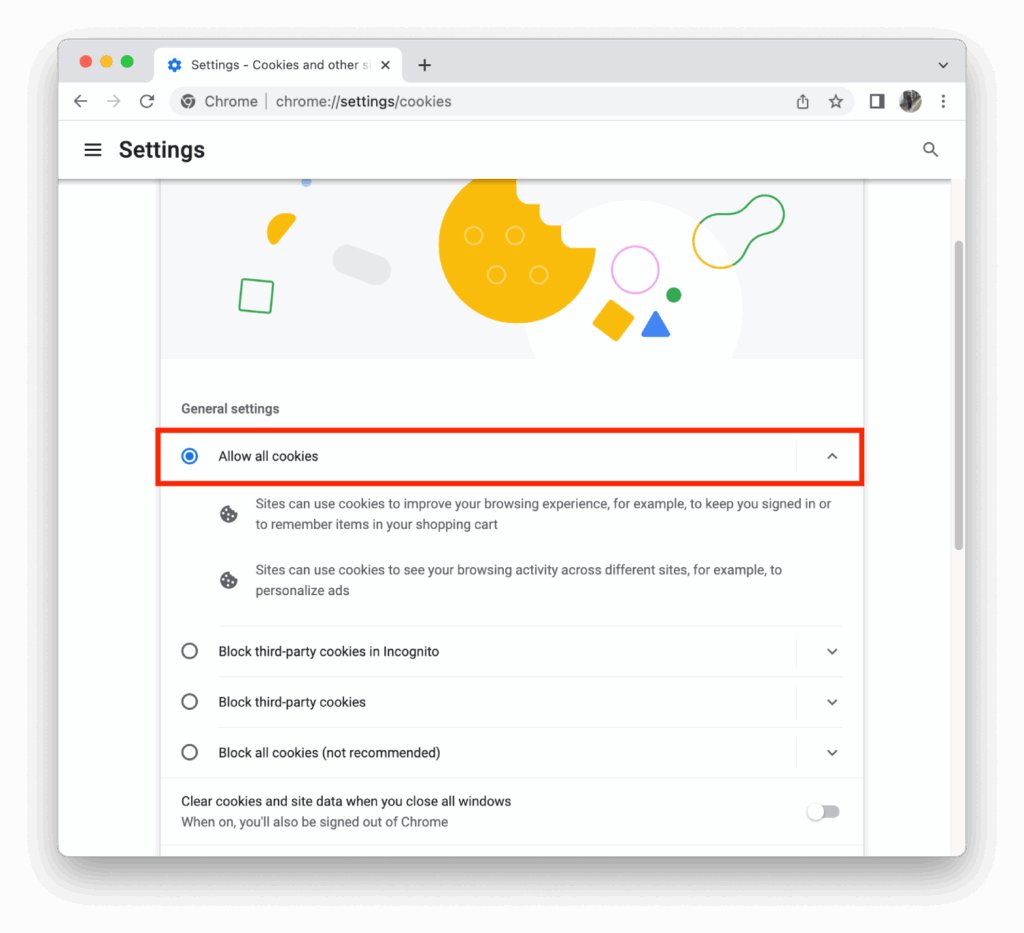
- Chrome restricts cookies for 30M+ users and growing
- Ad blockers eliminate tracking for 25-40% of visitors
- Cookie consent rejections hide additional users from your data
The business impact is immediate:
- Incomplete visitor data leads to wrong content decisions
- Missing conversion attribution wastes advertising spend
- Performance issues from tracking scripts hurt search rankings
- Cookie consent banners reduce conversions by measurable amounts
- Privacy regulation violations carry penalties starting at €10,000

Why WordPress Sites Need This Fix Most
WordPress powers 40% of all websites, but most owners rely on plugins that weren’t designed for today’s privacy landscape. Unlike enterprise platforms with dedicated development teams, WordPress sites depend on third-party solutions that often lag behind privacy requirements.
WordPress-specific vulnerabilities:
- Multiple analytics plugins create overlapping consent requirements
- Cookie consent banners break mobile themes and user experience
- Each tracking script compounds WordPress performance challenges
- Plugin updates can break privacy compliance without warning
- Theme conflicts make consent management unpredictable
The good news? WordPress’s plugin ecosystem also makes this the easiest platform to fix—when you know the right approach.
The Cost of Delayed Action
Privacy regulations aren’t getting more lenient. Browser restrictions aren’t reversing. Every month you delay addressing this problem increases your risk and opportunity cost.
Chrome’s third-party cookie phase-out: Currently affecting 30M users, expanding throughout 2025
European privacy enforcement: Over 1,000 GDPR penalties issued in 2023, with fines averaging €500K for small businesses
Search ranking impact: Page speed and user experience signals continue growing in importance
David Chen learned this lesson expensively. His WordPress-based SaaS business delayed upgrading its analytics setup “until Chrome completely removed cookies.”
The wake-up call came in April 2024: a €12,000 GDPR penalty for improper cookie consent, followed by declining search visibility as site speed suffered from tracking script overhead.
“I kept thinking I had more time,” David reflects. “The penalty was painful, but losing search rankings cost us way more. Switching immediately would have cost maybe $50/month. Waiting cost us thousands.”
What procrastination costs:
- Incomplete business intelligence: Wrong decisions from missing visitor data
- Wasted marketing spend: Attribution gaps hide your best traffic sources
- Conversion losses: Cookie consent friction reduces sign-ups and sales
- Search ranking decline: Slow sites lose visibility in competitive niches
- Legal liability: Privacy violations carry escalating penalties
- Competitive disadvantage: Faster, compliant sites capture market share
The WordPress Solution: Privacy-First Analytics That Actually Work
Modern cookieless analytics provide comprehensive visitor insights without compromising privacy or impacting performance. Instead of storing tracking data on users’ devices, these solutions process information server-side using methods that can’t identify individuals.
What privacy-first analytics provides:
✅ Complete visitor data: No ad blocker gaps or consent rejections
✅ Real-time insights: Live traffic monitoring and engagement tracking
✅ Better performance: Eliminate heavy tracking scripts and consent management overhead
✅ Zero privacy risk: Compliant with GDPR, CCPA, and other regulations by design
✅ No consent barriers: Remove cookie banners that interrupt user experience
✅ Accurate attribution: See your real traffic sources and conversion paths
The technology works by analyzing visitor patterns server-side without storing persistent identifiers on user devices. You get actionable data without compromising visitor privacy or site performance.
Your WordPress Analytics Options: Complete Comparison
Option 1: Fathom Analytics (Best for Most WordPress Sites)
Ideal for: Business websites, blogs, and small e-commerce
Setup complexity: Beginner-friendly
Monthly cost: $14 (for up to 100K page views)
WordPress advantages:
- Official WordPress plugin with one-click setup
- Designed specifically for privacy compliance
- Real-time visitor tracking without cookies
- EU-hosted servers ensure GDPR compliance
- Clean, focused dashboard eliminates information overload
Performance benefits:
- Tracking script under 2KB (vs Google Analytics’ 45KB)
- No cookie consent management required
- Faster page loads with the elimination of consent banner overhead
Option 2: Plausible Analytics (Developer-Friendly)
Ideal for: Agencies, developers, sites needing custom tracking
Setup complexity: Intermediate
Monthly cost: $9-33 (based on traffic volume)
Key strengths:
- Advanced goal and event tracking capabilities
- API access for custom integrations
- Detailed traffic source analysis
- White-label options for client work
Option 3: Simple Analytics (Budget-Conscious Choice)
Ideal for: Personal blogs, startups, simple business sites
Setup complexity: Beginner-friendly
Monthly cost: $9 (for up to 100K page views)
Focused benefits:
- Cleanest interface in the category
- European data hosting
- Essential metrics without complexity
- Automated email reporting
Option 4: Matomo Cloud (Enterprise Features)
Ideal for: Large sites, complex tracking requirements, maximum customization
Setup complexity: Advanced
Monthly cost: $19-129 (based on features and traffic)
Advanced capabilities:
- Comprehensive visitor segmentation
- Heatmaps and session recordings available
- Complete data ownership and control
- Extensive customization options

Quick Comparison: Choose Your Best Fit
| Feature | Fathom | Plausible | Simple Analytics | Matomo |
| WordPress Setup | Native plugin | Plugin available | Plugin available | Official plugin |
| Learning Curve | Minimal | Moderate | Minimal | Steep |
| Real-Time Data | ✅ | ✅ | ✅ | ✅ |
| Custom Events | Basic | Advanced | Basic | Advanced |
| API Access | Limited | Full | Basic | Complete |
| EU Hosting | ✅ | ✅ | ✅ | ✅ |
| Best Value For | Most WordPress users | Developers/agencies | Budget-focused | Enterprise needs |
20-Minute Implementation: Step-by-Step Setup Guide
Using Fathom Analytics as our example (most WordPress sites):
Step 1: Account Setup (5 minutes)
- Visit fathomanalytics.com and start a free trial
- Add your WordPress site URL during setup
- Choose your data hosting region (EU recommended for GDPR)
- Note your unique site tracking code
Step 2: WordPress Integration (3 minutes)
- In WordPress admin, go to Plugins > Add New
- Search “Fathom Analytics” and install the official plugin
- Activate the plugin and enter your tracking code
- Save settings—tracking begins immediately
Step 3: Remove Old Analytics (7 minutes)
- Deactivate Google Analytics plugins
- Remove cookie consent banner plugins
- Delete any tracking code manually added to theme files
- Clear all caching plugins to ensure changes take effect
Step 4: Verification and Testing (5 minutes)
- Visit your website and check the Fathom dashboard for real-time visitor data
- Test mobile experience—no cookie banners should appear
- Run Google PageSpeed Insights to confirm performance improvement
- Update privacy policy to reflect new analytics approach
Setup complete. Your WordPress site now provides better visitor insights while loading faster and maintaining complete privacy compliance.
Real WordPress Performance Results
Business Blog (35K monthly visitors):
- Page load improvement: 280ms faster average
- Mobile performance score: +18 points in Google PageSpeed
- Email conversion rate: +22% increase (no cookie consent friction)
E-commerce Site (60K monthly visitors):
- Core Web Vitals improvement: All metrics moved to “Good” range
- Cart abandonment: 11% reduction
- Customer acquisition cost: 15% improvement through better attribution
Agency Client Portfolio (25 WordPress sites):
- Average speed improvement: 320ms across all sites
- Client complaints about cookie banners: Eliminated entirely
- Search ranking improvements: 70% of sites gained 2+ positions within 90 days
Addressing Common Concerns
“Will I lose important visitor insights?”
Reality: You’ll gain accuracy. Most WordPress owners use basic metrics for decision-making—page views, traffic sources, popular content, and goal conversions. Privacy-first analytics deliver these insights more reliably because they’re not blocked by ad blockers or skipped due to consent rejections.
“What about historical data?”
Reality: Your current historical data is already incomplete due to tracking limitations. Some platforms offer data import assistance, but clean, accurate data moving forward is more valuable than incomplete historical records.
“How do I justify the cost?”
Reality: Compare total costs:
- Traditional analytics + compliance tools: $100-300/month
- Privacy-first analytics: $9-50/month
- Risk reduction: Eliminate potential penalties and conversion losses
- Performance gains: Better search rankings from improved site speed
“Is this just a temporary trend?”
Reality: Browser restrictions are permanent and expanding. Safari and Firefox have completely blocked third-party cookies for years. Chrome’s restrictions affect millions of users and continue growing. This is the new normal, not a passing trend.
Take Action: Three Ways Forward
Option A: Start Your Free Trial Today (Recommended)
Get Fathom Analytics free for 7 days: Start Free Trial
- No credit card required for the trial period
- Full WordPress plugin included
- Complete setup support available
- 30-day money-back guarantee after trial
Option B: Compare Options for Your Specific Needs
Download the Complete Analytics Comparison Guide
Email your requirements to: sales@wisdmlabs.com
- Traffic volume and feature needs assessment
- Cost comparison for your specific situation
- Implementation timeline and support options
- Custom recommendation based on your WordPress setup
Option C: Get Expert Implementation Help
Free 15-minute WordPress analytics consultation
Book at: https://bizblaze.co/book-a-call-wordpress-seo-services/
- Review your current analytics setup and identify gaps
- Personalized recommendations for your traffic and goals
- Implementation roadmap with timeline
- Ongoing support options
The Choice Is Yours—But Time Isn’t Unlimited
Every day with incomplete analytics data affects your business decisions. Every cookie consent banner reduces your conversion potential. Every privacy regulation violation increases your liability.
WordPress site owners who make this transition now gain immediate advantages:
- Complete, accurate visitor data for better decision-making
- Improved site performance and search rankings
- Eliminated privacy compliance risks
- Enhanced user experience without consent interruptions
The technology exists. The benefits are proven. The implementation is straightforward.
Your WordPress site can provide better insights while respecting visitor privacy and delivering superior performance. The question isn’t whether to make this change—it’s how quickly you can implement it.
Questions about your specific WordPress setup? Email sales@wisdmlabs.com for personalized guidance.